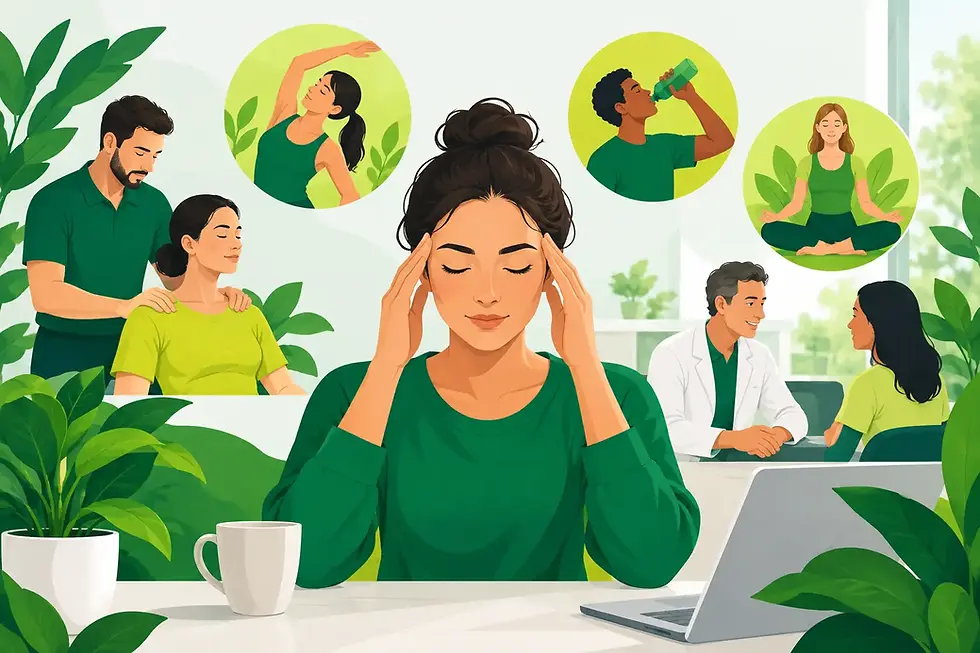
How to Improve Work Posture Without Overthinking It

A stiff neck at 4 pm, an ache between the shoulder blades after video calls, or a lower back that complains on the drive home are common signs that your working day is asking too much of the same position. To improve work posture, the aim is not to hold yourself rigidly upright all day. It is to make your workstation fit you, vary how you move, and build enough physical capacity to work comfortably.
The idea of a single “perfect posture” can be unhelpful. Bodies are adaptable, and most people can sit, stand, lean or slouch for a while without harm. Problems tend to arise when one position is sustained for too long, particularly alongside stress, poor sleep, reduced activity or an existing injury. A good work posture is therefore one you can change regularly, without creating unnecessary strain.
Why desk posture can become uncomfortable
Desk work places low-level, repeated demands on the same tissues. Your eyes focus on a screen, your hands use a keyboard or mouse, and your upper back, neck and hips stay relatively still. Over several hours, this can contribute to postural tension, muscular fatigue and a sense of stiffness when you finally stand up.
This does not mean your spine is damaged or that sitting has “put it out”. Mechanical discomfort is often more nuanced. A screen set too low may encourage you to look down for long periods. A laptop used without support can bring the head and shoulders forward. Reaching for a mouse repeatedly may irritate the shoulder, forearm or wrist. Add deadline pressure and shallow breathing, and tension headaches or neck pain can feel more persistent.
Your general health also matters. Regular movement supports circulation, strength and joint mobility. Stress can increase muscle guarding and heighten how strongly the nervous system responds to discomfort. Food, hydration and sleep do not replace ergonomic changes, but they can affect energy, recovery and the capacity to cope with a busy week.
Improve work posture by setting up the space around you
Start with the items you use most, rather than trying to correct every part of your body at once. The most useful changes are often simple and individual. Your height, glasses prescription, task demands and whether you use one or two screens will all affect the best set-up.
Begin with the chair and feet
Sit far enough back that your lower back is supported by the chair. You do not need to force a pronounced arch, but a small amount of lumbar support can feel more comfortable for many people. Adjust the chair so your feet rest flat on the floor and your thighs are approximately level or gently sloping downwards.
If the desk is high and your feet cannot reach the floor once the chair is raised, use a stable footrest. Avoid perching on the edge of the chair for hours. It can be useful for a short task, but it usually leaves the back working harder than necessary.
Place the screen where your eyes need it
Position the main screen directly in front of you, roughly an arm’s length away. The top third of the display should generally sit around eye level, though the precise height may need adjusting if you wear varifocal lenses or need to see detailed work. The key is avoiding a constant downward gaze or a repeated twist through the neck.
Laptop-only working creates a common compromise: if the screen is at a comfortable height, the keyboard is too high; if the keyboard is comfortable, the screen is too low. For longer desk sessions, a separate keyboard and mouse allow you to raise the laptop screen on a stand or sturdy stack of books. This is often one of the most effective changes for neck comfort.
Bring the keyboard and mouse closer
Keep your keyboard close enough that your elbows can stay near your sides, with the forearms supported where possible. Place the mouse beside the keyboard rather than reaching out to the side. Let your shoulders feel relaxed rather than pulled upwards towards your ears.
There is no need to pin the shoulder blades back all day. That can create its own fatigue. Instead, think of giving the shoulders room to settle, then taking regular breaks before they become tight.
Make task-specific adjustments
Your set-up should reflect the work you actually do. If you spend much of the day on calls, use a headset rather than holding a phone between shoulder and ear. If you work between two screens, place the primary screen in front of you and the secondary one close beside it. If you frequently read paper documents, use a document holder to reduce repeated looking down and up.
Standing desks can be helpful, but they are not a cure for discomfort. Standing still all day may lead to tired feet, calves or lower back. If you use one, alternate between sitting and standing according to comfort and task, rather than treating standing as inherently better.
Movement is the part of posture that matters most
Even an excellent workstation cannot make eight uninterrupted hours of sitting feel good. Your body benefits from small, frequent changes more than one ambitious stretch at the end of the day.
Aim to break up static time regularly. Stand when taking a call, walk to refill your water, use the stairs, or take two minutes away from the screen between concentrated tasks. A useful rule is to change position before discomfort becomes insistent, not only once pain has arrived.
You do not need a complicated routine. A few slow shoulder rolls, gentle neck movements, a short walk and standing up from the chair several times can be enough to interrupt the pattern. If a movement causes sharp pain, tingling or symptoms that travel into the arm or leg, stop and seek individual advice rather than pushing through.
Outside work, activity builds resilience. Walking, strength training, swimming, Pilates or a sport you enjoy can all support the muscles and joints that help you tolerate desk work. The best choice is one that fits your schedule and that you can continue consistently. For someone with an acute flare-up, the right starting point may be gentler and more tailored.
Work posture is not just about your desk
It is easy to blame the chair when the bigger picture is a demanding month, poor sleep and no time between meetings. Stress often shows up physically: jaw clenching, raised shoulders, breath-holding and reduced movement are all common during focused work. These patterns are not failures. They are understandable responses to pressure, and recognising them gives you a chance to change course.
Build small recovery cues into the day. Step outside for five minutes at lunch where possible. Keep a drink within reach. Put a short break between video calls instead of scheduling them back-to-back. If you notice yourself bracing, let your shoulders drop and take a slower breath before returning to the task.
Nutrition can support sustained energy too. Long gaps without food, relying heavily on caffeine or rushing lunch at the desk can make an already pressured afternoon feel harder. The answer is not a restrictive plan, but regular meals and snacks that suit your needs, work pattern and health goals. For people managing digestive symptoms, weight concerns or changing energy levels, personalised dietetic support can make the wider picture more manageable.
When posture pain needs professional support
Some discomfort settles with better desk habits and more movement. If pain is persistent, recurrent or affecting sleep, exercise or your ability to work, an assessment can help identify what is maintaining it. An osteopath can assess movement, joint and soft-tissue function, discuss relevant lifestyle factors, and create a practical plan for recovery and prevention.
Seek prompt medical advice for new or worsening weakness, numbness that does not settle, significant balance changes, bladder or bowel changes, unexplained weight loss, fever, or pain following a serious accident. These symptoms need appropriate medical assessment rather than an ergonomic adjustment alone.
For local patients, Hartwood Health provides hands-on osteopathy in Fleet for issues such as back pain, mechanical neck pain, tension headaches, sciatica and work-related strain. We focus on understanding the person as well as the painful area, so treatment can combine appropriate hands-on care with advice on movement, workload and sustainable self-management.
A more comfortable working day rarely depends on sitting perfectly. It comes from a desk that supports your task, permission to move often, and a realistic plan that respects the demands of your life. Small adjustments, repeated consistently, can give your body far more ease than trying to hold one ideal position.
Joined-Up Care for Lasting Physical Freedom
At Hartwood Health, we look beyond the immediate symptom to treat the person attached to it. True physical resilience requires a balance between structural alignment, everyday biomechanics, and systemic health.
Our Osteopathy Team specialises in relieving acute pain and restoring mobility for busy professionals and active adults alike. By working closely alongside our clinical dietitians and other wellbeing practitioners, they provide a truly "joined-up" approach to physical health.
Visit our hands-on clinic in Fleet to start your journey back to comfortable, confident movement.